Every question, relayed to the right person.

Website chat, one shared inbox, a help center and replies from Slack, for public agencies and growing businesses. When nobody's around, the assistant answers only from what you've written.

Invite-only for now. An Argus product by Tesseract.

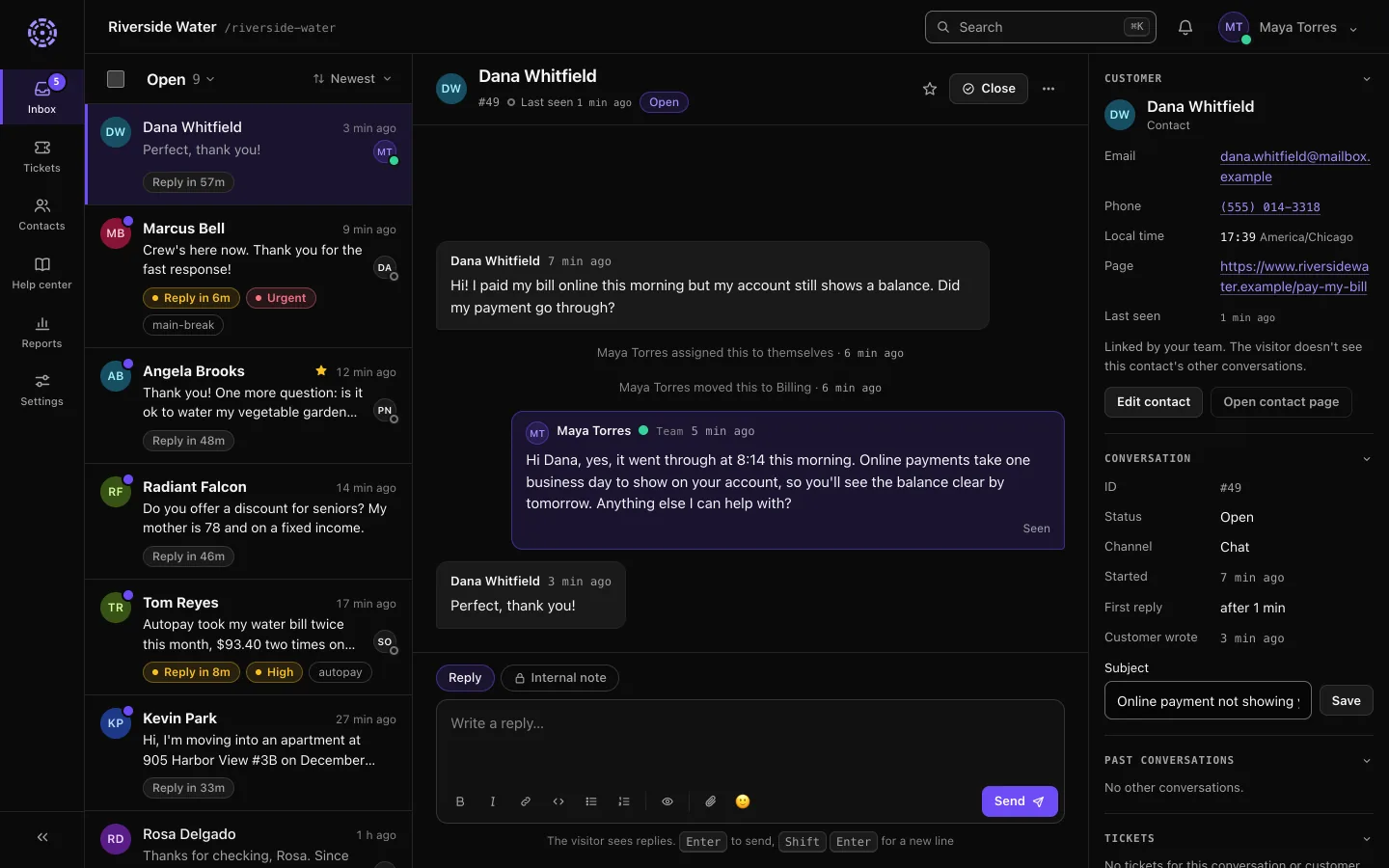
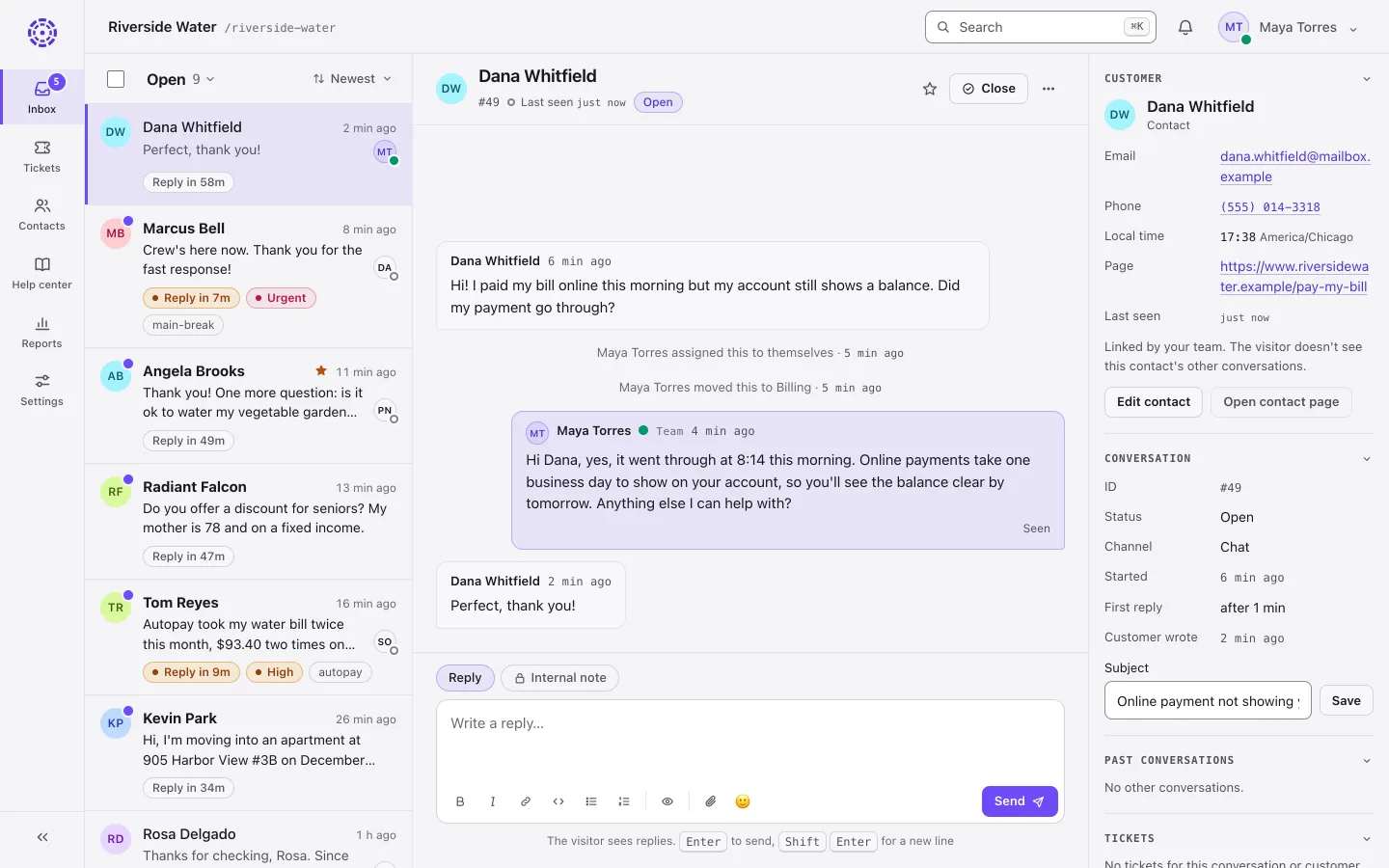
The Relay inbox for Riverside Water: open conversations on the left with unread dots, assignees and a response-time countdown; Dana Whitfield's question about her payment in the middle with Maya's reply; Dana's details on the right.The Relay inbox for Riverside Water: open conversations on the left with unread dots, assignees and a response-time countdown; Dana Whitfield's question about her payment in the middle with Maya's reply; Dana's details on the right.
Every website you run. One inbox. People who answer.

For government

Serve every resident, and keep the record.

Cities, counties, utilities and agencies answer the public in one place, with the controls a public body expects.

  • Accessible by design. Every page works by keyboard and screen reader, with contrast checked by automated tests.
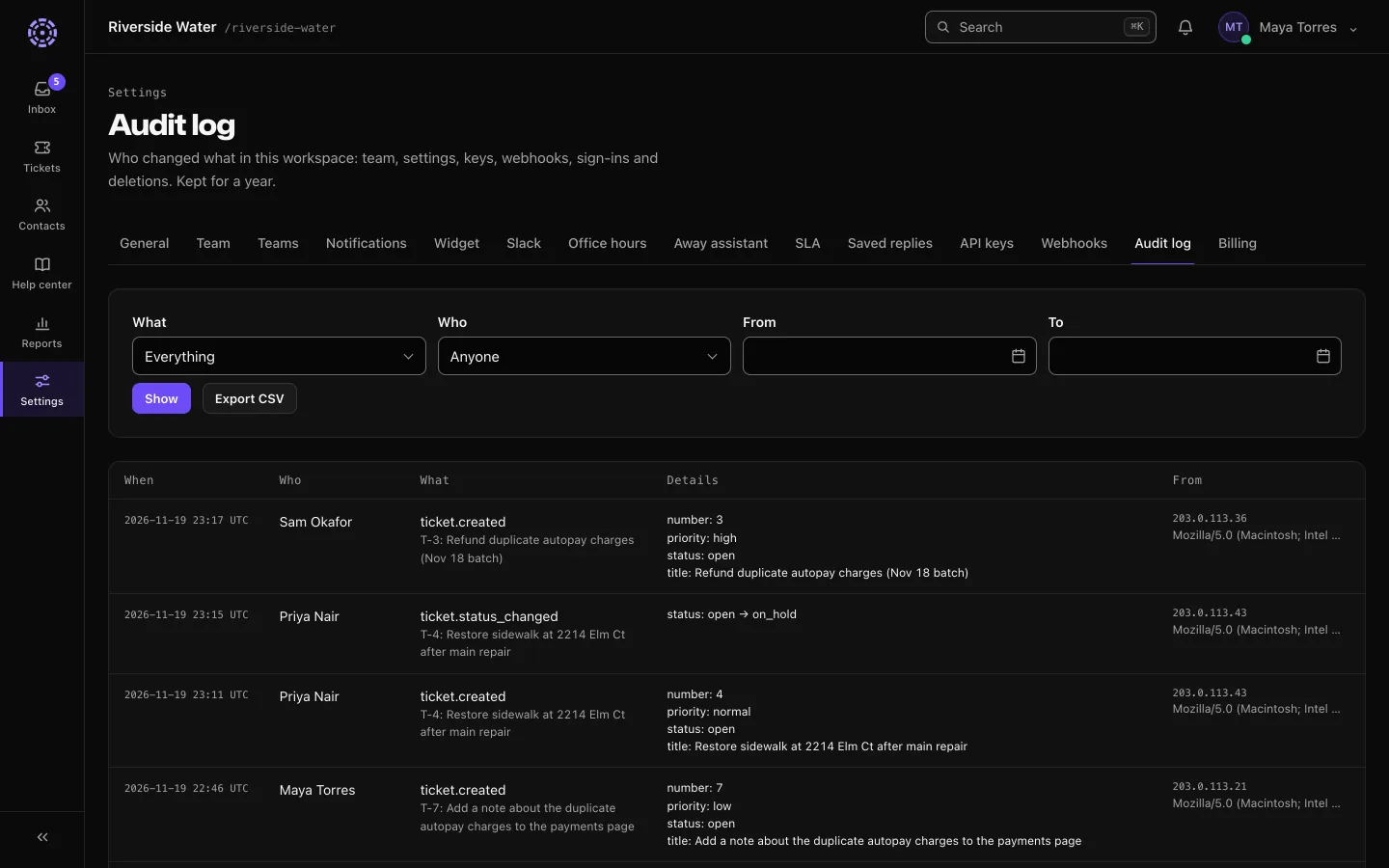
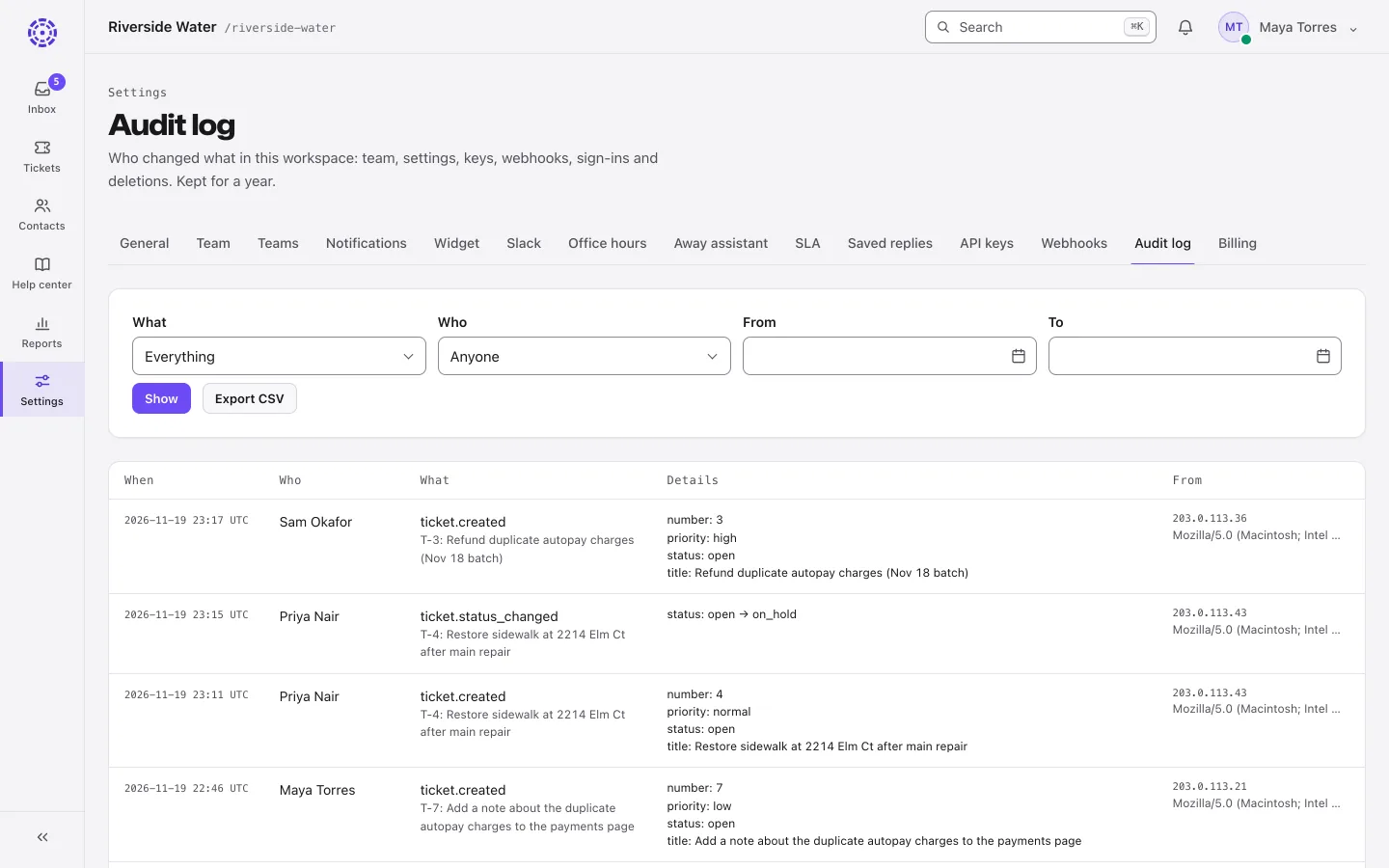
  • Accountable. An audit log of who changed what, kept for a year and exportable as CSV.
  • Secure sign-in. Require two-factor sign-in for your whole team.
  • Fits locked-down sites. The chat runs on websites with a strict Content Security Policy and loads nothing from third parties.
  • Your language. Help-center articles in your language, including right-to-left scripts.

For business

Live on your website this afternoon.

Shops, studios, clinics and software teams answer customers fast, without a contact-center budget or a setup project.

  • Two lines of code. Paste the snippet and the chat appears, in your colours, with your greeting.
  • Answer from Slack. Reply in a Slack thread and the customer sees it in the chat.
  • Covered after hours. The assistant answers from your help articles and tells people when you're back.
  • Every site, one inbox. Run several websites? Each gets its own chat; you answer them all from one place.
  • A managed service. Nothing to install or host. We run Relay and keep it up to date.

The inbox

One shared inbox for every conversation.

Every chat from every website you run lands in one inbox that updates live. Your team sees who's on it, answers together and never replies twice.

  • Assign and route

    Assign conversations to people or teams, take turns automatically, and filter by team in one click.

  • Notes and mentions

    Internal notes stay inside: Relay keeps them apart from visitor messages, so a note can't be sent to a visitor. Mention a teammate to pull them in.

  • Who's on it

    See who's viewing and who's typing, when the visitor read your reply, and whether they're still on the page.

  • Side conversations

    Ask a colleague about a case in a thread beside it, without leaving the conversation.

  • Saved replies

    Type / to insert an answer you've written before.

  • Search everything

    Press ⌘K to find any conversation, contact or article.

  • Work in bulk

    Select many conversations to close, assign or merge them at once.

  • Email when it matters

    Teammates get an email about new conversations and replies, following their own notification settings.

Slack

Answer from Slack. The visitor sees it in the chat.

Connect a channel and every new conversation starts a thread there, with who it is, the page they're on and what they asked.

  • Reply in the thread, and it posts to the conversation as you, live in the visitor's chat.
  • Keep it internal by starting a message with note:.
  • For a team or just for you: link your own Slack to get every workspace you belong to in one channel, without double posts.

Relay works with Slack. You create the Slack app in your own Slack from a manifest Relay gives you; its tokens are stored encrypted.

# support

RelayApp

New conversation · Riverside Water

Dana Whitfield on /billing/pay

I paid my bill online this morning but my account still shows a balance. Did my payment go through?

2 replies

MT

Maya Torres

Hi Dana, yes, it went through at 8:14 this morning. It'll show by tomorrow.

RelayApp

Sent to the visitor's chat · Seen

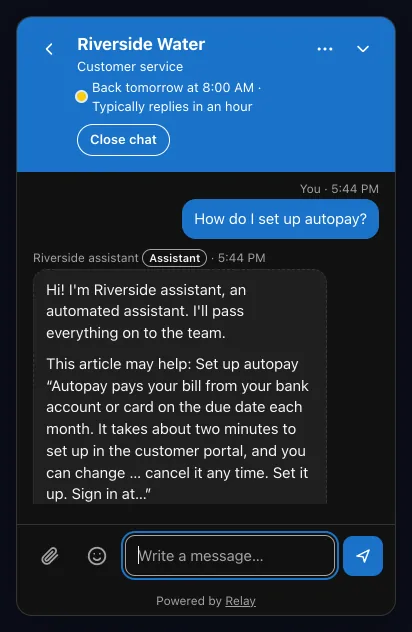
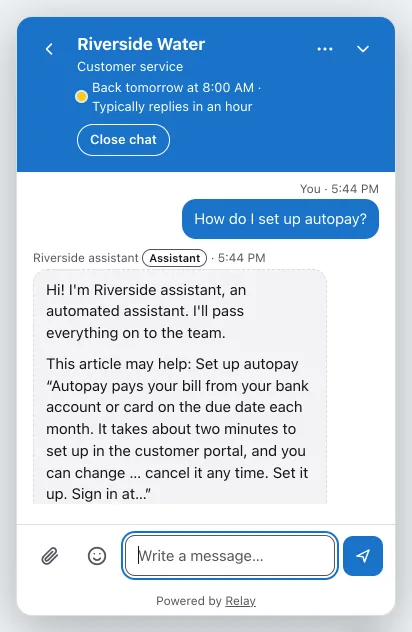
The chat window outside office hours: a visitor asks how to set up autopay, and the assistant replies with an excerpt from the help article and a link to it, then says when the team will be back.The chat window outside office hours: a visitor asks how to set up autopay, and the assistant replies with an excerpt from the help article and a link to it, then says when the team will be back.

The assistant

An assistant that doesn't guess.

Outside office hours, or when nobody's online, Relay's assistant replies. It follows rules you set and uses only what you've written, so it never makes up an answer.

  1. Answers from your help center. When an article matches well, it replies with a short excerpt and a link. When nothing does, it doesn't guess.
  2. Asks what your team will need: name, email, organization, what it's about. You choose the questions.
  3. Says when a person will reply, from your office hours and typical reply time.
  4. Then steps aside. After three replies, or as soon as someone asks for a person, it hands over and leaves a summary note.

Every assistant message is labelled as the assistant, in the chat, the inbox and Slack.

Help center

A help center people can actually search.

Publish articles to your own help site. Visitors search it, the chat suggests articles while they type, and the assistant quotes them.

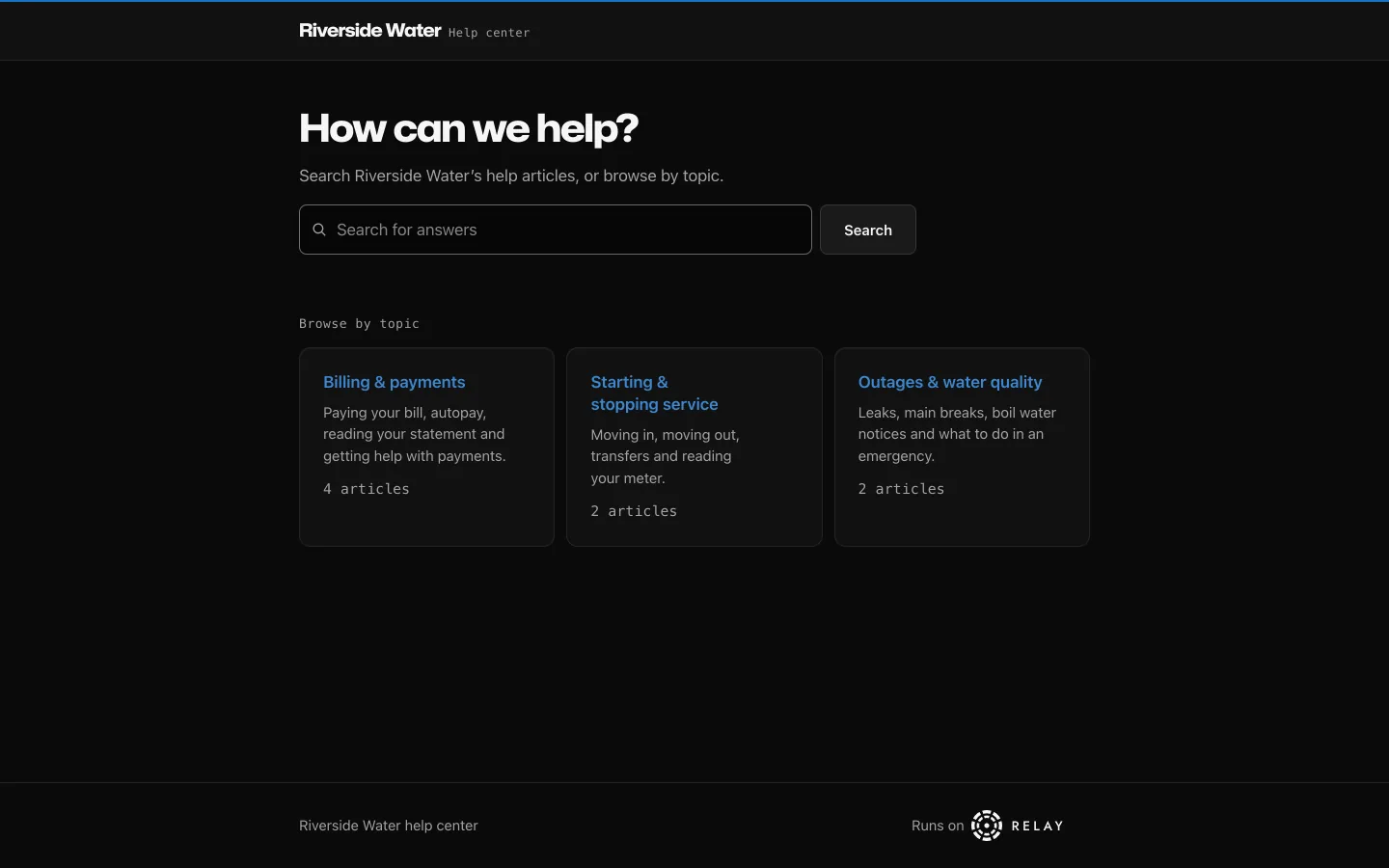
Riverside Water's public help center: a search box and collections of articles about billing, service and outages.
  • Search that ranks

    Results ranked by title and text, with suggestions as the visitor types.

  • Every version kept

    Drafts stay drafts until you publish, and earlier versions can be restored.

  • Found by search engines

    Clean addresses, descriptions, a sitemap, and redirects when you rename an article.

Oversight

Know you're keeping up.

Set how fast your team should reply, see what's about to run late, and follow up on the work that takes longer than a chat.

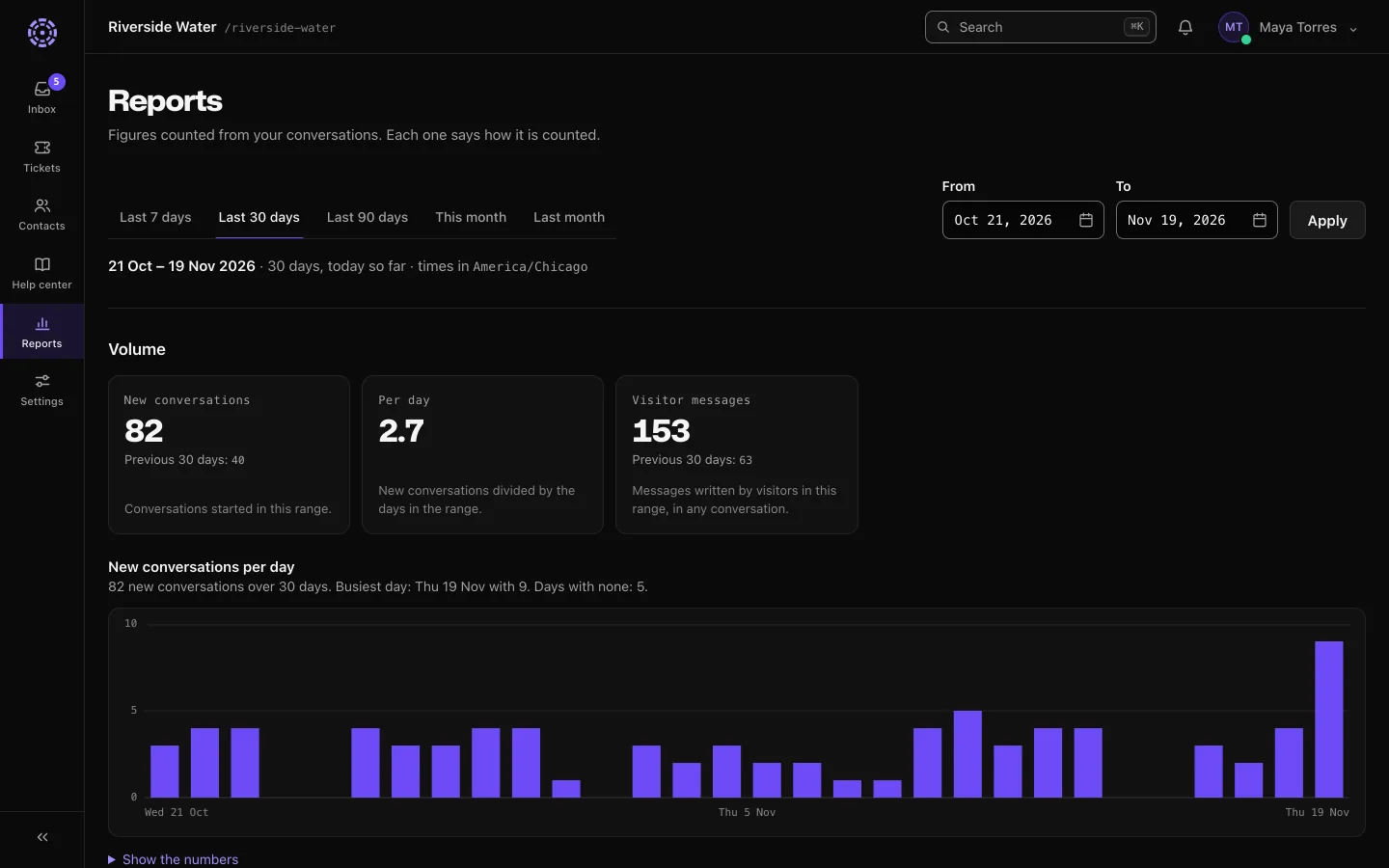
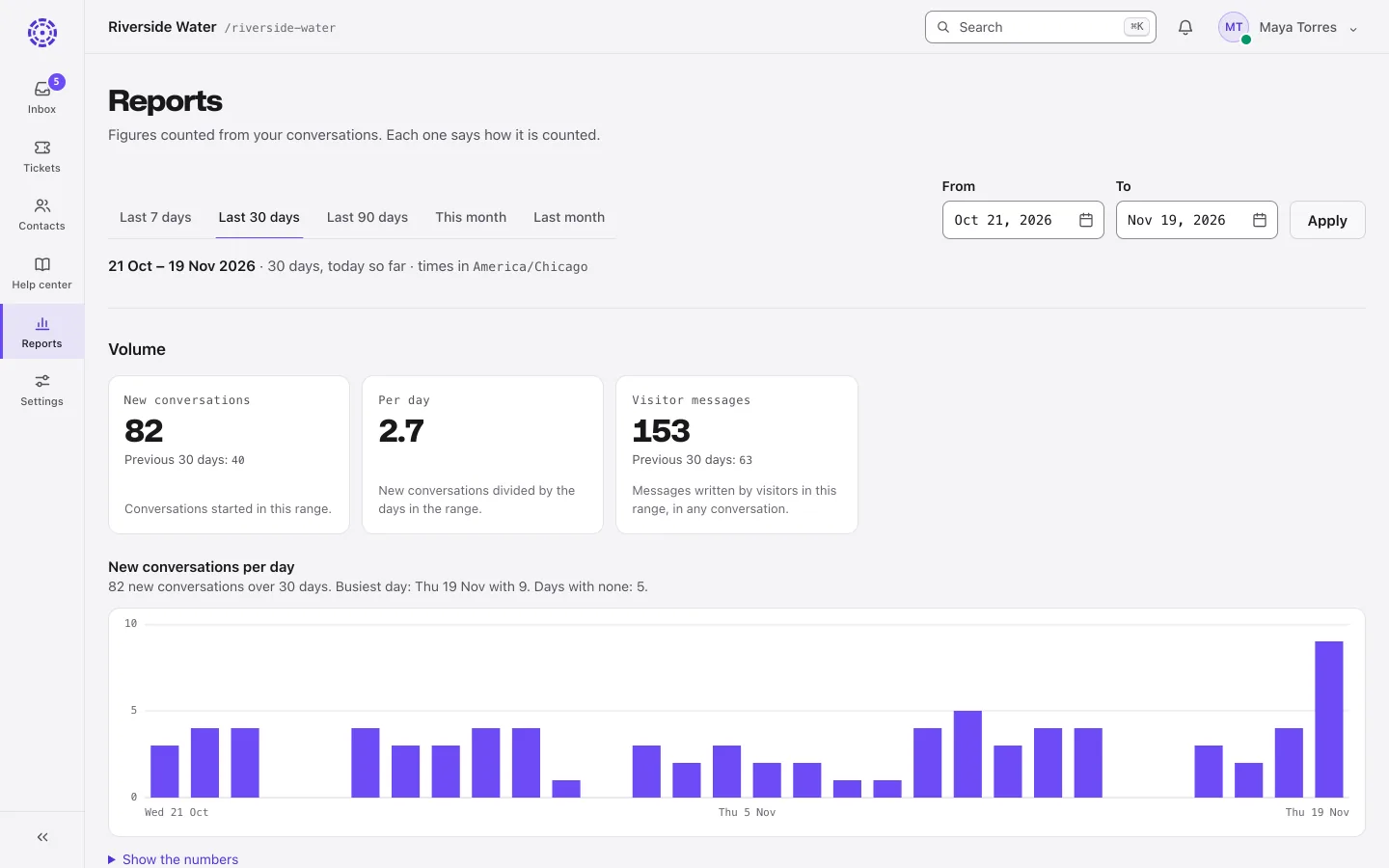
Relay reports for the last 30 days: new conversations, conversations per day and visitor messages, each against the previous 30 days, over a chart of new conversations per day.Relay reports for the last 30 days: new conversations, conversations per day and visitor messages, each against the previous 30 days, over a chart of new conversations per day.
Reports. Volume, first reply times, targets met and ratings, for any date range.
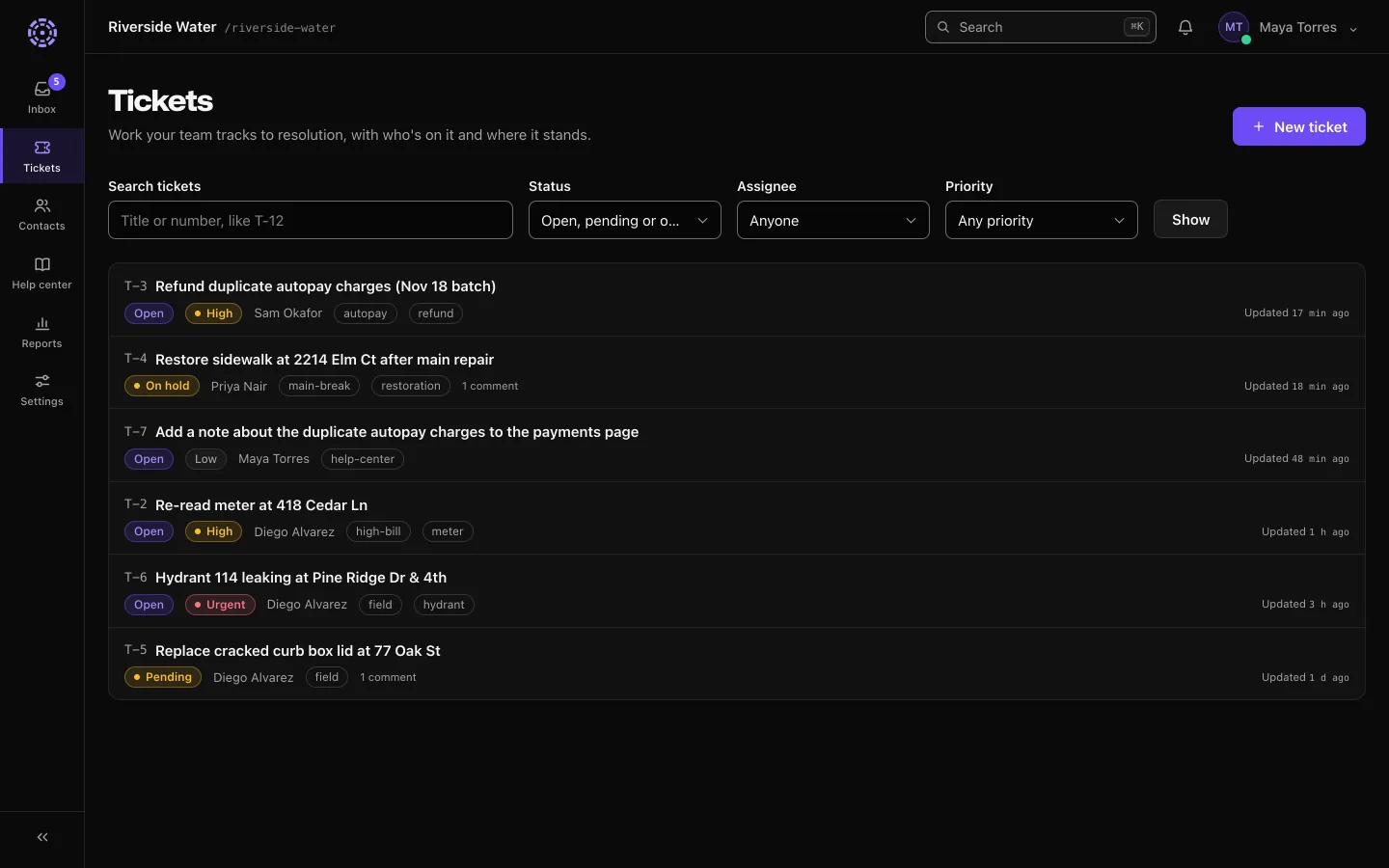
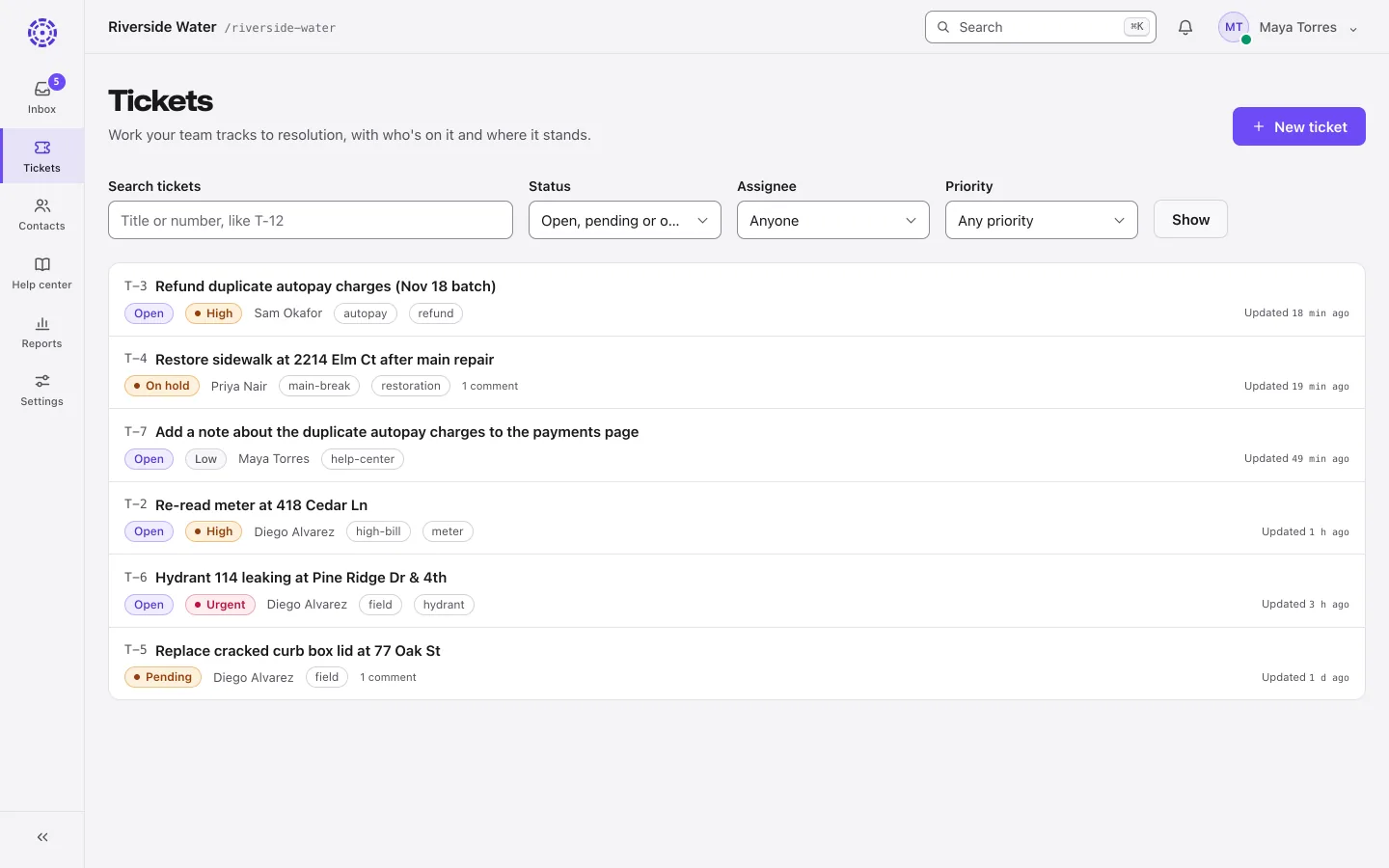
The tickets list: follow-up work with status, priority, assignee and the conversation each came from.The tickets list: follow-up work with status, priority, assignee and the conversation each came from.
Tickets. Turn a conversation into follow-up work with an owner, a status and a priority.
Settings, Audit log: who changed what and when, with filters and a CSV export.Settings, Audit log: who changed what and when, with filters and a CSV export.
Audit log. Who changed what and when, filterable and exportable.
  • Response-time targets

    Targets for first reply and next reply, counted in office hours or around the clock, with a warning before they're missed.

  • Teams

    Billing, outages, sales: give each team its own queue and take turns automatically.

  • Ratings after chat

    Visitors rate the conversation and can leave a comment. See it per teammate.

And

Everything else a front desk needs.

The details that make a support tool pleasant to use every day.

  • Contacts

    Every person's conversations and details in one place, with CSV import and export.

  • Verified visitors

    Your server signs a signed-in customer's email, so Relay links the right history.

  • Files, safely

    Attachments both ways, served through private links that expire.

  • Office hours

    The chat shows when you're online, or when you'll be back.

  • Many websites

    A workspace per site, each with its own chat, help center and team.

  • Your look

    Chat colours, logo, launcher and greeting to match your site.

  • Light and dark

    Themes for the inbox, and keyboard shortcuts for everything.

  • An API

    A REST API with keys scoped to read or write.

Privacy and security

Built carefully, described plainly.

What Relay does today, in plain words.

  • Each workspace is walled off

    Every database query is scoped to the signed-in member's workspace. Another workspace's data looks exactly like data that doesn't exist.

  • Visitors see only their own chat

    A visitor's connection only ever carries their own conversation, and internal notes can't be put on it.

  • Careful with accounts

    Passwords hashed with Argon2id, lockout after repeated failures, optional or required two-factor sign-in, and API keys stored only as hashes.

  • Private files

    Attachments are never public: they're served through signed links that expire after 15 minutes.

  • Secrets kept secret

    Slack tokens and signing secrets are stored encrypted. Only their last four characters are ever shown back.

  • Nothing extra on this page

    No third-party scripts, fonts or trackers. Everything here is served by Relay itself.

Relay doesn't hold security certifications such as SOC 2 or ISO 27001. If that changes, it will say so here.

Pricing

Pricing for your organization.

Relay is a paid, managed service. Tell us about your team and your websites and we'll put together a quote, whether you're a small business or a public agency.

Questions, answered

Can I sign up today?

Not yet. Relay is invite-only while it runs on its makers' own websites first. Join the early-access waitlist and you'll hear from us.

Is the assistant a chatbot that writes its own answers?

No. It quotes your published help-center articles, asks the questions you've set, tells visitors when to expect a reply and hands over to your team. Everything it says comes from your content and your settings.

Do we have to install or host anything?

No. Relay is a managed service: we run it and keep it up to date. You add two lines to your website and sign in from any browser.

How do I add the chat to my website?

Paste two lines before </body>. The snippet with your workspace id is in Settings → Widget, where you can also limit which domains may use it.

<script>window.ArgusWidgetConfig = { workspaceId: "your-workspace-id" };</script>
<script src="https://your-relay-address/widget/argus-widget.js" async></script>
Which channels does Relay cover?

Chat on your website, with email notifications and Slack. It doesn't handle email inboxes, SMS, WhatsApp or phone calls.

Is Relay accessible?

The inbox, the chat and the help center are built to work by keyboard and with screen readers, and automated tests check text contrast. If you find a barrier, tell us and we'll fix it.

Can I connect my own tools?

Yes: there's a REST API with keys you create in settings, each scoped to read or write.

What does it cost?

Relay is a paid service, priced for your organization. Contact us and we'll put together a quote.

Want Relay on your site?

Tell us a little about your organization and we'll be in touch when there's room.